I get these fake “your package is delayed” texts all the time. Here’s how to know one when you see it.
Quick answer Be suspicious of any message you weren’t expecting that wants you to click a link, open an attachment, pay something or “confirm” personal information. Don’t click. If you think it might be real, contact the company using a phone number or website you already know is genuine. Report phishing texts by forwarding them to 7726 (SPAM), phishing emails to reportphishing@apwg.org, and either one to ReportFraud.ftc.gov.
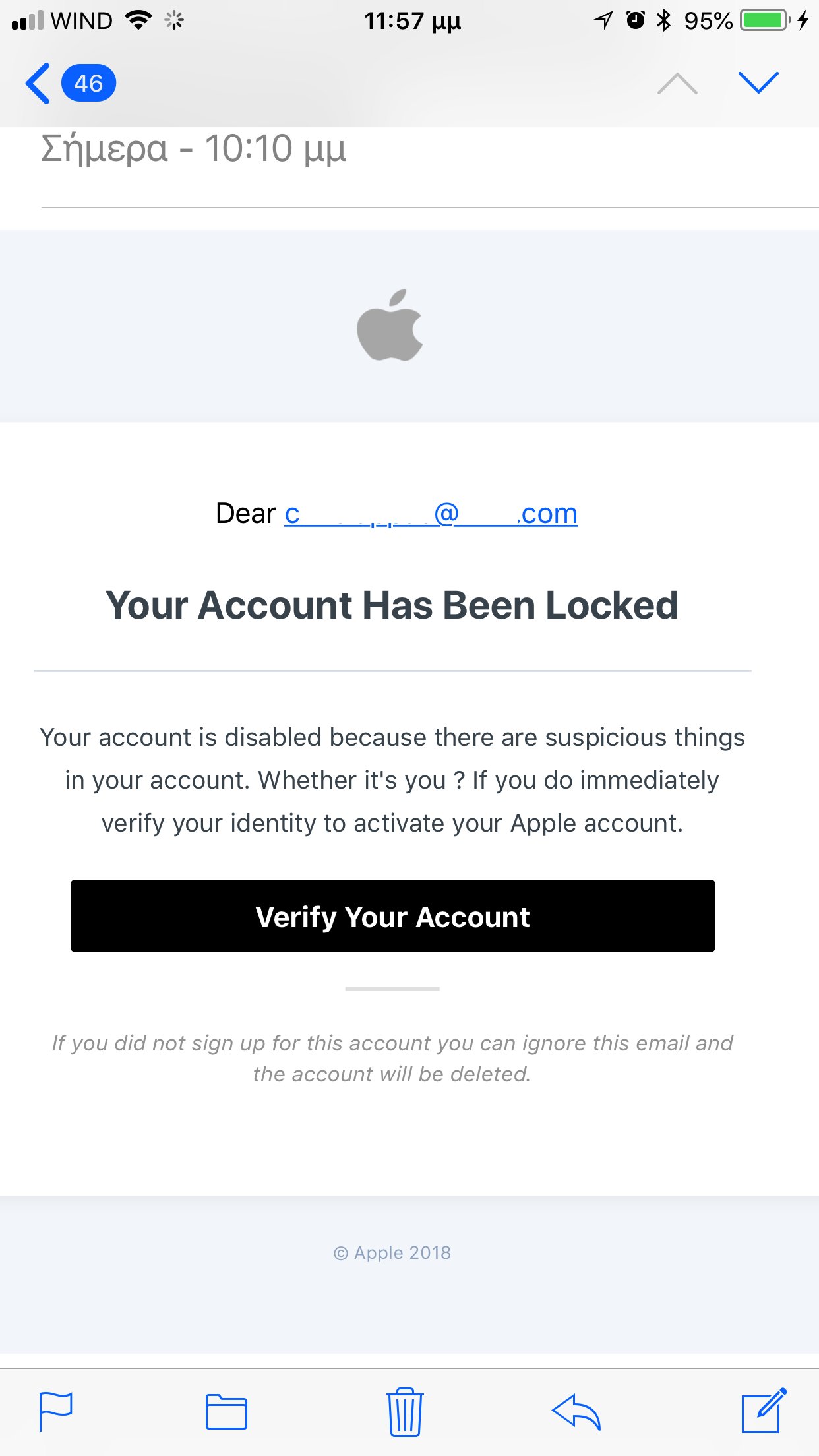

How to spot it and what to do
- Ask: was I expecting this? And do I even have an account with this company? If not, it’s very likely a scam.
- Look for the usual stories. “Suspicious activity on your account.” “Problem with your payment.” An invoice you don’t recognize. A package that can’t be delivered. A government refund. Free prizes or gift cards. A low-interest card or student loan help.
- Look for pressure. Scams want you to act now, before you think it over.
- Look at the greeting and the ask. Generic greetings are a warning sign. Real companies won’t text or email you a link to update your payment information or ask for account details by text.
- Don’t click, don’t reply. Links can lead to a fake login page that steals your password, or install harmful software. Attachments can too.
- Check it the safe way. Go to the company’s real website or app by typing it yourself, or call a number from your statement or the back of your card. Not the number in the message.
- Report it, then delete it. Forward texts to 7726 (SPAM), use “Report Junk” in your messaging app, forward emails to reportphishing@apwg.org, and report to ReportFraud.ftc.gov.
Safety: Clicked or typed something in? If you gave out a Social Security, credit card or bank number, go to IdentityTheft.gov for the exact steps. Change the password on that account and anywhere you reused it. If you opened an attachment, update your security software and run a scan.
Protect yourself ahead of time
- Turn on automatic updates for your phone and computer.
- Turn on multi-factor authentication (a code or key on top of your password) for email and banking.
- Back up your phone and computer, so a bad click can’t take everything with it.
From https://www.djgaston.com/spot-a-phishing-text-or-email/ · Updated October 22, 2026